Three Ways to Render a Dungeon Crawler
As a weekend project I wrote a video game for fun. It’s a first-person, grid-based fantasy RPG in the spirit of Eye of the Beholder: you stand on a tile, face north, east, south or west, and step or turn one square at a time. The source is on GitHub.
The original idea was bigger: an engine, a toolkit for building campaigns, and a first episode to go with them. The whole framework was supposed to be AI friendly so it could be used with coding agents. What I ended up with so far is the engine’s rendering, built in three different ways, and that is what this post is about. Each way is playable, on a desktop with the keyboard or on a phone with touch controls:
- Town Square (
game-1): live 3D with painted textures and sprites. - Old Quarter (
game-2): a fixed set of pre-painted image slots, composited like Eye of the Beholder. This is the one with the village and the dungeon. - Walk the views (
game-3): every view of the map is one fully pre-rendered image. It looks the best, and it is also the one I couldn’t afford to finish.
1. Real 3D
My first experiment was a town square rendered as a real 3D scene. Painted wall panels went on simple geometry, characters and props were billboard sprites. I generated the textures and billboards using ChatGPT.
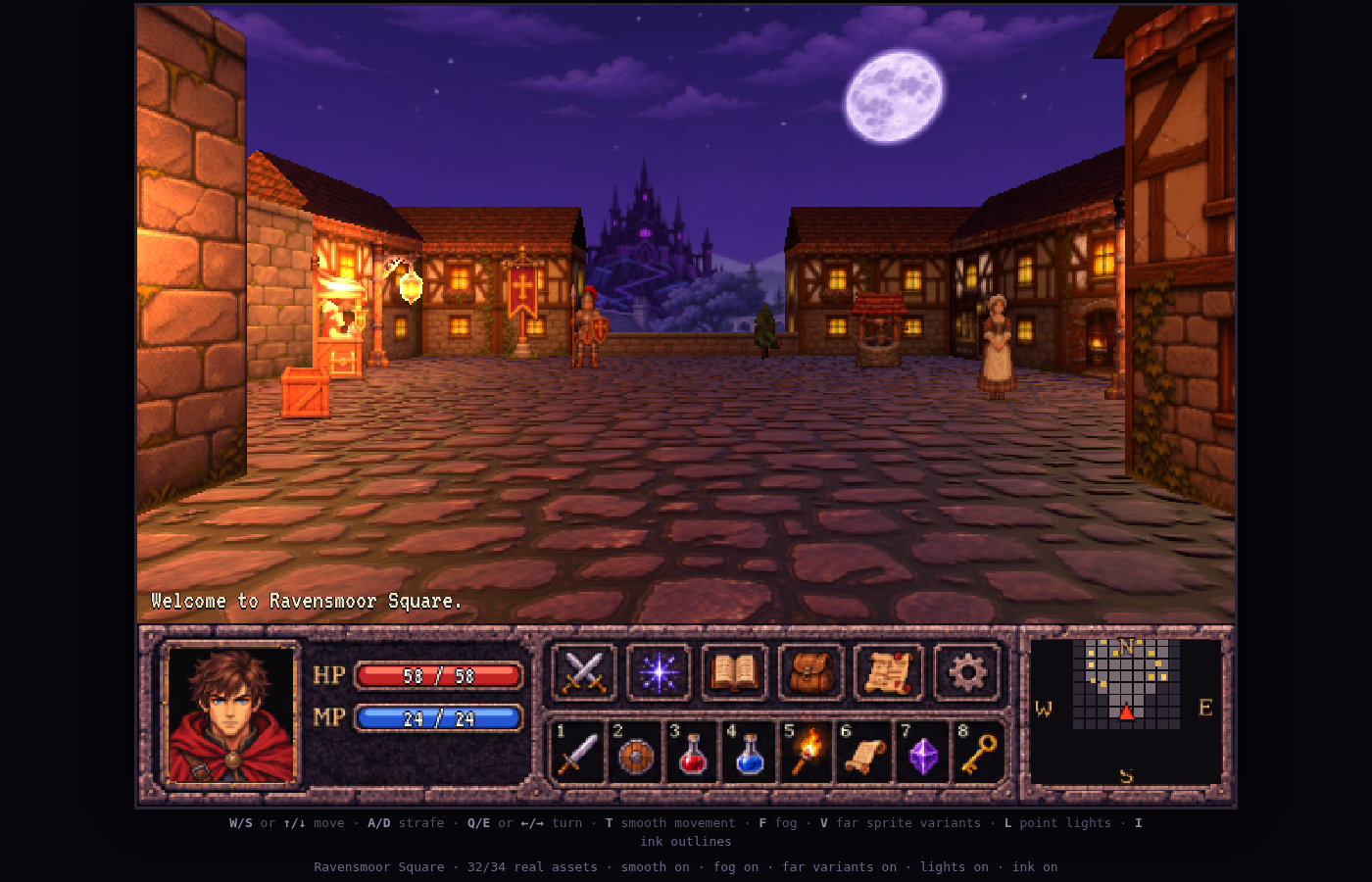
It worked. I had smooth animations, there was a nice Parallax background and the lighting made the night scene look a little bit more atmospheric.
However it still didn’t look like what I was aiming for. The facades of the buildings still looked like paper with the actual texture painted on them. Distant objects didn’t look like pixel art at all. The materials didn’t really pop out and also the perspective made everything look empty. Adding more density to objects didn’t improve things. overall, I had that look of early 3D games rather than the old fashioned dungeon crawlers.
I realised that if I wanted things to look good on the screen they had to be painted exactly for the size and angle they appear on the screen without any transformation or lighting done by the 3D engine.
2. The 2D Approach
The second experiment gave up on live 3D. It draws every view by compositing pre-painted sprites, the way Eye of the Beholder did.
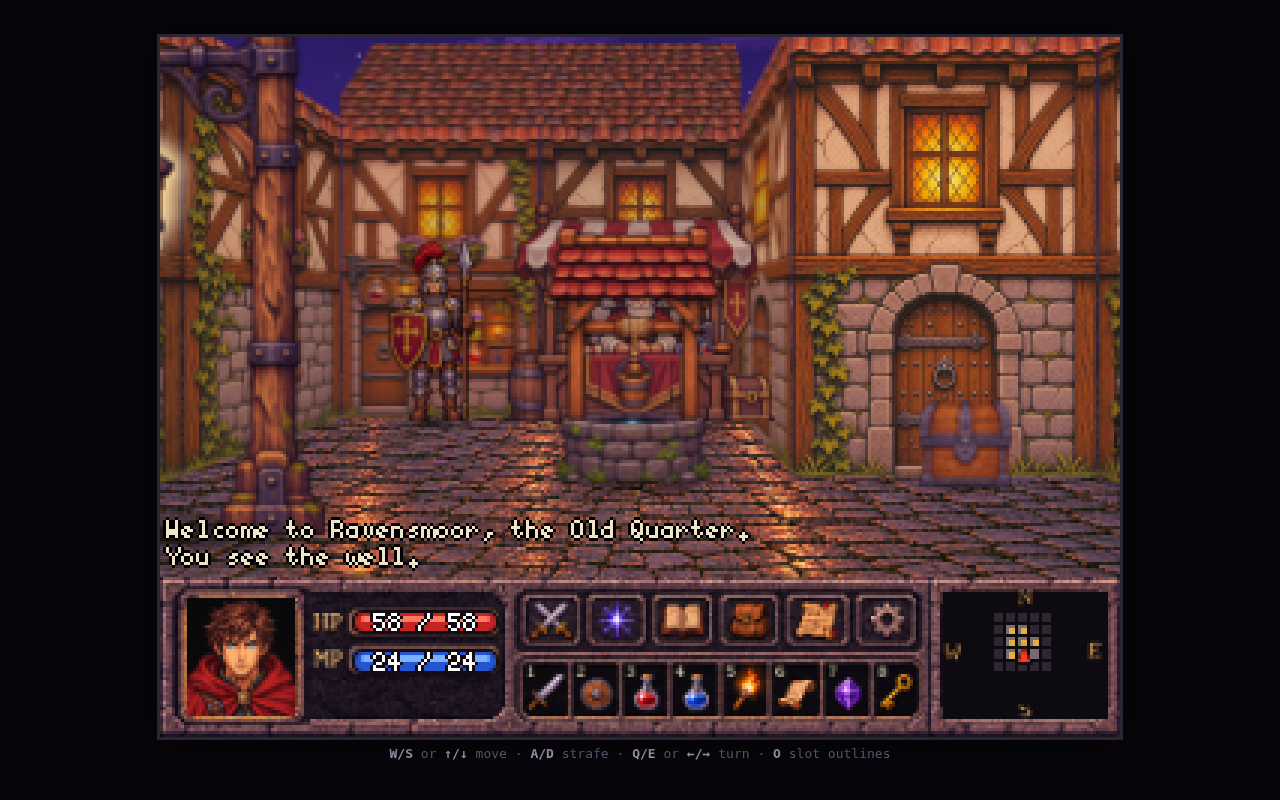
The idea that makes it work is that the player is always in a cell facing one of four directions. So every possible view is a one-point perspective of the same grid, and anything that can appear on screen can only appear in a fixed set of screen positions. I call those positions slots.
Each building facade has a number of pre-painted images with various sizes and various angles that preserve that pixel art feel. The engine just needs to place these images in the right slot on the screen.
The renderer draws a backdrop, then the floor (mirrored on alternate steps, so walking reads as movement), then each row from three cells away down to the player’s own cell: side faces, then props, then fronts. With the view geometry I settled on, each wall type needs 16 images and each prop 24 to 27.
Since the assets are AI generated, all images of one wall type go on a single sheet, so a house stays consistent across all 16 of its views. Prop sheets pack several props at once, and a planner decides which image can be cut from which sheet. Altogether the village comes to 27 generations: six wall sheets, nineteen prop sheets, the floor and the backdrop. The floor and backdrop are painted whole as pictures, because stretching a tile texture into perspective was the thing that looked bad in the first experiment.
Since this wasn’t a 3D model, I couldn’t do the smooth transitions that I had in the first demo. Instead I used some transition animations to fake movement. I also added touch controls for the mobile.
Overall it looked like a proper dungeon crawler from the early 90s. The pixel art looked much better on the screen. Some props didn’t look best from all angles, but that is consistent with the dungeon crawlers of the era.
I was still missing the magical feeling of the concept art that I generated initially. A fully “hand painted” location still looked much better, with reflections, asymmetry, better props and general atmosphere.
3. Pre-render every view
The third experiment takes the idea one step further. If the camera only ever has four views per tile, then every view of a map can be pre-painted. So why composite anything? Each (cell, facing) pair can simply be one complete image, and walking is a short crossfade between them.
This wouldn’t properly scale for a large dungeon, but it would be great for a small village. Perhaps what I needed is a game with two engines. I just needed to find a way to efficiently generate the images in a way consistent with the map. So I started by generating a 3D map with buildings, characters and some props.
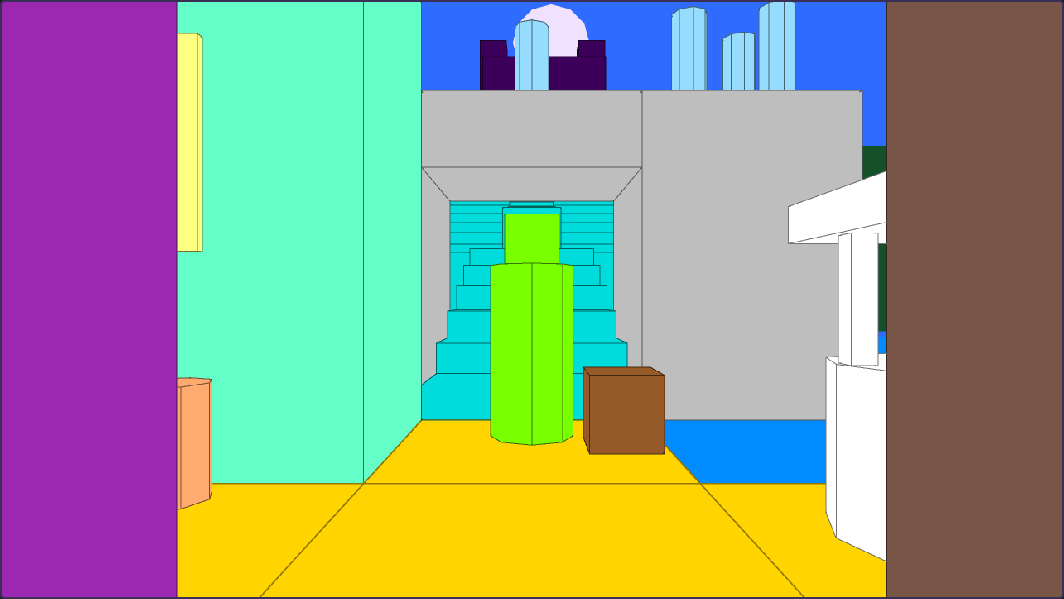
I devised a workflow where a 3D engine renders the geometry of each view as a colour-coded proxy, flat colours for each kind of wall, floor, stairs and prop. That image is then fed into the image generation model as a reference.
The painting is the expensive step, so who does it matters. I built the engine and the tooling with Claude Code, but Claude Code can’t generate images. Codex can, and I think that is a real advantage it has over Claude Code for this kind of project. In practice I didn’t have to choose, because Claude Code can invoke Codex on the command line to generate an image. That is how I’ve used it for most of the art here.
I also tried a local image generation model through comfy-cli. The quality was unusable. For a game whose entire look comes from the painted images, that ruled it out.
Here is the proxy for the starting view of a small courtyard, and the painting made from it:
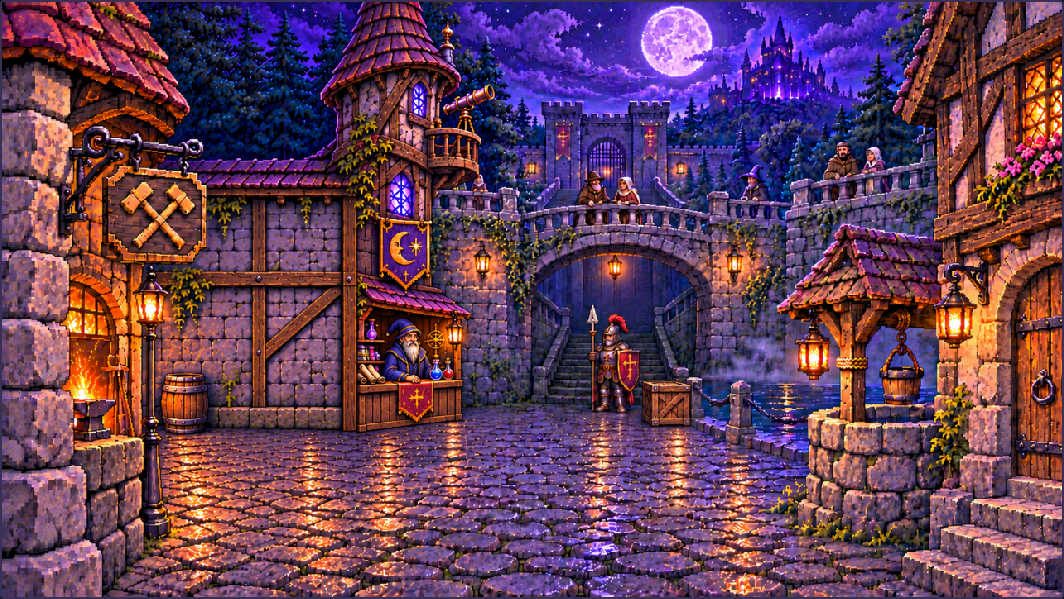
It is the most beautiful of the three, by a wide margin. Every view is a complete painting, with its own lighting and composition, and the problem of making flat tiles and sprites look painted disappears because there are no tiles and sprites.
It is also the one I couldn’t finish. Images of neighbouring views have to agree: the same crate, the same knight, the same arch, the same light from a different side. The model doesn’t guarantee that, so I had to regenerate each image by hand, several times, to correct the inconsistencies. That’s fine for one view, but it doesn’t scale: a map costs about four images per walkable tile, and each one costs several attempts and some of my attention.
The slot approach in the second experiment is less pretty but it pays for itself, because one painted wall sheet serves every wall of that type everywhere on the map. The third approach pays for each view once and never reuses it.
What’s not there
- Combat, loot and quests. The interface has an inventory and a journal, but they only describe the demo.
- The campaign toolkit that was supposed to be the point.
Try them in order: Town Square, Old Quarter and Walk the views. Move with W/S or the arrow keys, strafe with A/D, turn with Q/E.